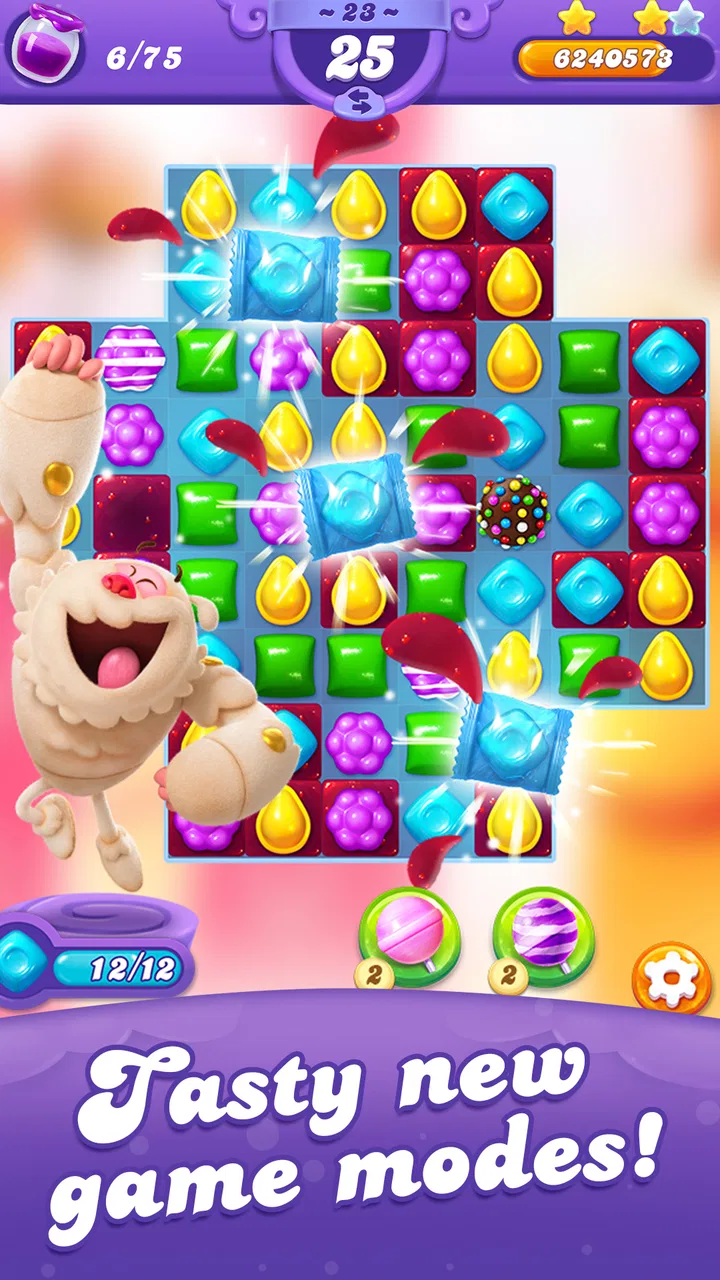
Candy Crush Friends Saga
- 4.7
- Rating
- 50.00M
- Installs
- Free
- Price

 Analysis by App-foxy
I approached Candy Crush Friends Saga as the sort of casual game you open for a few minutes and then keep thinking about after closing it. It is easy to understand at first glance: clear a board by matching candies, work toward the level’s objective, and use the available pieces carefully rather than making random moves. That simplicity is exactly why it works so well on a phone. I can play it while waiting for an appointment, during a short commute, or at home when I want something light without learning a complicated control system.
What makes this particular entry worth discussing is the way it turns familiar match-three play into a more character-focused experience. The presentation feels brighter and more playful than a strictly minimalist puzzle game, while the levels gradually ask for better planning. It remains a free casual game from King, rated for Everyone, with optional purchases ranging from $0.99 to $99.99 per item. That combination makes it accessible, but it also means the best experience depends on knowing how to handle interruptions, progress friction, and the temptation to spend.
Getting started without turning a simple game into a frustrating one
I’d begin with a simple habit: look over the whole board before making the first match, then choose a move that helps the level’s objective rather than one that merely clears the most candies. That small pause makes the opening feel less rushed and helps me decide whether this kind of puzzle suits my break. Next, I’ll look at how the game’s visual world supports that steady, thoughtful pace.
You May Also Like

 AccuWeather: Weather Radar
AccuWeather Review: A Quick, Clear Forecast for Everyday Decisions
For everyday plans, the best forecast is the one you can understand quickly. AccuWeather makes rain timing, radar, and local conditions easy to act on, with a few trade-offs.

 Hill Climb Racing
Why Hill Climb Racing Still Turns Crashes Into One More Run
A tiny car, a bumpy hill and one more upgrade: Hill Climb Racing keeps resurfacing because its simple chaos makes every near-miss feel personal.

 AliExpress - Shopping App
AliExpress Makes Global Shopping Feel Personal, but Shoppers Bear the Risk
AliExpress turns a global marketplace into a pocket-sized discovery engine. Its reach is useful, its shopping loop compelling, and its trade-offs easy to miss.

 Lords Mobile: Kingdom Wars
Lords Mobile Is a Kingdom-Building Routine, Not a Quick Match
A case-by-case verdict on the building, battles, device demands, and social commitments that make Lords Mobile rewarding for some players and exhausting for others.

 PDF Scanner app - TapScanner
TapScanner Makes Paperwork Easier to Capture, Check, and Share
TapScanner makes scanning with a phone feel less like a rescue operation and more like a dependable step in getting work done. Its capture tools are useful, though not flawless.

 Block Blast!
 Shows How Much a Puzzle Game Can Leave Out
A quiet grid game shows why puzzle players increasingly value instant clarity, repeatable skill and low-pressure play—and where the genre still needs to catch up.
More From Our News Desk
View All News


Where players commonly get stuck
The first obstacle is rarely understanding the basic matching rule. The more common problem is assuming that every move should be judged by the number of candies removed immediately. In practice, I get better results when I look at the level objective first. A move that clears fewer pieces can still be the right choice if it opens a blocked area, reaches a difficult corner, or creates space for a stronger combination on the next turn.
This matters because the boards are not always solved by making the most obvious match. A quick match near the top may look satisfying, but it can leave the lower section untouched. When the board contains several separate tasks, I try to identify which target is hardest to reach and give it priority. That small change in thinking is one of the most useful lessons the game teaches: the objective matters more than the flashiest move.
Another point of friction is the limited nature of mistakes in a level. Players who move quickly can spend turns on harmless-looking matches and then discover that the important work is still unfinished. I recommend pausing for a few seconds before every move, especially when the board offers several possible matches. The game is casual, but the later puzzles reward attention rather than speed.
Some players may also feel stuck because a level does not seem to offer an obvious route forward. In that situation, I avoid restarting immediately. I scan the entire board, check whether a match can be made in an overlooked corner, and consider whether a special candy can be positioned near the objective instead of activated at once. This habit often reveals a better line and prevents me from treating a planning problem as a difficulty problem.
Setup checks that prevent avoidable trouble
Before judging the game, I would make a few basic checks. It requires Android 6.0 or later, so an older device may not be a good fit even if the game itself appears simple. A compatible operating system does not automatically guarantee a smooth session either. Available storage, background apps, and a busy connection can all affect how comfortably a mobile game starts and resumes.
I also prefer to launch it once when I have a stable connection before relying on it during a trip or a waiting period. That gives the app a chance to finish whatever normal loading or account-related work it needs to do. If the first start is interrupted, repeatedly closing and reopening it can make the situation feel worse, so I let the opening process finish before deciding that something is broken.
The current version is 5.5.2.0, and keeping the installed build current is a sensible first step when a problem appears after installation. I would check the official app store rather than downloading an altered package from an unfamiliar source. That is not just a security preference; unofficial copies can create confusing behavior that has nothing to do with the game’s normal operation.
Permissions and notifications are worth reviewing as well. I prefer to keep only the alerts I find useful, because frequent reminders can make a relaxing puzzle game feel more demanding than it should. If the game opens correctly but notifications are missing, that is usually a phone setting to inspect rather than a reason to reinstall the whole app.
The game is free to download and play, but optional purchases are part of the experience. I would decide on a spending limit before beginning, particularly if the device is shared with children. The Everyone rating makes it approachable for a broad audience, yet the presence of paid items means a family should still use the device’s purchase controls and review process. That is a practical setup step, not an accusation against the game.
A sensible workflow when progress or loading goes wrong
When a level refuses to load, freezes, or returns me to an earlier screen, I work through the simplest recovery path first. I close other demanding apps, check the connection, and restart the game normally. If the issue appears only once, I do not immediately clear storage or reinstall, because aggressive fixes can create a new problem if progress has not synchronized properly.
If the game repeatedly behaves strangely, I restart the phone and check whether the operating system has pending updates. I also make sure there is enough free storage for ordinary app operation. A nearly full device can cause problems in many unrelated applications, and blaming the puzzle game too quickly can lead to unnecessary troubleshooting.
Progress recovery deserves extra care. Before clearing app data or removing the game, I make sure the account or progress method I normally use is available and that I can sign back in if needed. I would never treat a reinstall as the first solution when I care about a long-running level journey. The safer order is to restart, verify the connection, update through the official store, and only then consider more disruptive steps.
There is also a useful distinction between a failed move and a technical failure. If the board behaves as expected but the result is disappointing, restarting the app will not improve the puzzle. I save retries for genuine interruptions and use the level’s own restart option when I simply want to try a different strategy. That keeps recovery separate from ordinary gameplay decisions.
One practical routine helps me avoid wasting attempts. At the beginning of a level, I look for matches that can open the most restricted area, then I reassess the board after each major change. I do not plan the entire solution in advance because new pieces alter the situation. Instead, I use short planning cycles: inspect, make one purposeful move, inspect again. This is more reliable than chasing a large combination that may never appear.
When the app is not the cause
Not every disappointing session points to a defect. A weak connection may affect loading while ordinary phone use remains normal, and an older handset may struggle more with a colorful animated game than with a text application. If other games and video apps are also slow, the wider device environment is the more likely place to investigate.
Battery behavior can also be misunderstood. A game with continuous animation and touch input naturally asks more of a phone than a notes app. If the device becomes warm or loses charge faster during a long session, I shorten the play period, reduce other background activity, and avoid playing while the phone is already under heavy load. I would be more concerned if unusual behavior continued across unrelated apps.
Connection problems are especially easy to misread. If the game works normally after switching between a reliable Wi-Fi connection and mobile data, the network is probably the variable rather than the puzzle board. I avoid repeatedly tapping the same button during a delay, because that can create duplicate actions once the screen catches up. Waiting briefly and checking the connection is less frustrating.
There is a similar issue with in-app purchases. If a purchase appears delayed, I do not immediately repeat it. I first check the store’s transaction history and the device account, then allow time for the original request to settle. Repeating the action can turn one uncertain transaction into two. This is one of those small habits that matters more than any advanced playing technique.
How it compares with other casual puzzle choices
Compared with a very basic match-three game, this title offers a more guided and characterful journey. That makes it a better choice for someone who likes a sense of progression and a colorful presentation rather than isolated puzzles with no broader context. The trade-off is that the experience can feel busier. Players who prefer a quiet board, fewer distractions, or completely self-contained challenges may favor a minimalist alternative.
It also differs from puzzle games built around one fixed mechanic. Here, I need to adapt to the board’s objective and the opportunities created by each move. That gives the levels more variety than simply clearing a standard arrangement, but it can make a difficult stage feel less predictable. If you want a game that rewards repeating one familiar technique, another casual option may feel more comfortable.
For short sessions, it is stronger than many games that require a long uninterrupted commitment. I can stop after a level and return later without learning a complicated control scheme. On the other hand, players who dislike progression gates, repeated attempts, or any pressure connected with optional purchases should approach it cautiously. The free entry point is friendly, but the surrounding structure is not designed solely for people who want unlimited, consequence-free retries.
Who will enjoy it, and who should skip it
I would recommend it to people who enjoy visual puzzles, gradual challenge, and the satisfaction of improving a solution after a failed attempt. It is particularly suitable for casual players who want something more involved than a one-tap time filler but less demanding than a strategy game. The Everyone content rating also makes it a reasonable family-friendly choice, provided adults manage purchase settings on shared devices.
A realistic everyday use case is a short break between errands. I might open it while waiting for a train, play one level, and close it before the next task. The controls are well suited to that rhythm because the core interaction is immediate, yet a level can still require enough thought to make the break feel engaging. I would not choose it for a meeting, a long work block, or any situation where notifications and “one more level” could become distracting.
I would skip it if I want a completely offline-first puzzle experience, a calm design with no progression pressure, or a game where every useful option is available without purchase prompts. I would also look elsewhere if my phone is below the required Android version or if it already struggles with other animated games. In those cases, a simpler puzzle app is likely to be a better match than trying to force this one to run comfortably.
My practical verdict after regular play
King has made a casual puzzler that is easy to begin but not empty once the novelty fades. The strongest part, in my view, is the need to connect each move to the level’s actual objective. That gives the familiar matching formula enough depth for repeat play, while the bright character-led presentation keeps it approachable.
Its popularity is substantial: it has passed 50 million installs, holds a 4.7 average from around 2 million ratings, and has about 152 thousand written reviews. Those figures suggest a broad audience, but they should not replace personal fit. I see the game as a good recommendation for someone who wants polished, accessible casual puzzles and is comfortable managing optional purchases and occasional retry friction.
My advice is to install it through the official store, confirm that the phone meets the Android requirement, begin with purchase controls in mind, and give the early levels enough attention to learn the board logic rather than rushing through them. When something goes wrong, start with connection, updates, storage, and a normal restart before attempting a reinstall. For me, the right way to enjoy it is as a deliberate short-break game, not an endlessly hurried distraction.
That distinction captures the whole experience. Candy Crush Friends Saga is free, welcoming, and easy to pick up, but its best moments come when I slow down and treat each board as a small problem to solve. If that balance sounds appealing, it is one of the better casual choices to keep on a phone. If you want absolute simplicity, no purchase-related friction, or a purely offline routine, choosing a leaner puzzle alternative will probably leave you happier.
FAQs for Candy Crush Friends Saga
01What is Candy Crush Friends Saga, and how does the gameplay work?
Candy Crush Friends Saga is a match-three puzzle game in which you combine three or more candies of the same color to complete level objectives. Unlike a basic match-three title, each stage includes a playable Candy Friend with a special ability that can help clear obstacles, create powerful combinations, or collect required items. Levels become progressively more challenging and introduce different boards, goals, and obstacles.
02Is Candy Crush Friends Saga free to download and play?
Yes, Candy Crush Friends Saga can be downloaded and played for free on compatible Android and iOS devices. However, it includes optional in-app purchases for items such as extra lives, boosters, gold bars, and additional moves. The game can generally be enjoyed without spending money, but progress may feel slower when lives or useful boosters are unavailable, particularly on more difficult levels.
03Does Candy Crush Friends Saga require an internet connection?
Many parts of Candy Crush Friends Saga can be played without a constant internet connection, which is convenient when traveling or using limited mobile data. An internet connection may still be required for certain features, including synchronizing progress, accessing events, receiving updates, viewing advertisements, and completing purchases. Connecting the game to an account can also help protect or restore progress across supported devices.
04Are there ads, lives, or other limitations that affect gameplay?
The game uses a lives system, so failing levels repeatedly may require you to wait for lives to refill or use another available option. Players may also encounter advertisements, promotional offers, and limits on certain rewards or events. Boosters and extra moves can make difficult stages easier, but they are not always freely available. These systems are common in free-to-play games and can influence the pace of progression.
05Is Candy Crush Friends Saga suitable for children and safe to use?
Candy Crush Friends Saga is colorful, easy to understand, and generally suitable for casual players, including older children. Nevertheless, parents should review the game’s in-app purchase settings because optional purchases can be made through the connected app store account. Advertising, social or online features, and the game’s encouragement to continue playing may also be worth monitoring, especially for younger users. Device-level parental controls are recommended.
Pros
- Hundreds of colorful levels offer plenty of content for casual players.
- Friend characters provide helpful abilities that add variety to each level.
- Simple controls make the game easy to learn on phones and tablets.
- Frequent events and challenges give regular players extra goals to pursue.
- Offline play is available for many levels when an internet connection is unavailable.
Cons
- Lives can run out quickly
- creating waiting periods between attempts.
- Some levels rely heavily on luck rather than careful planning.
- Boosters and extra moves can become expensive through in-app purchases.
- Ads and purchase prompts may interrupt the otherwise relaxed gameplay.
- Later stages can feel repetitive despite the changing objectives.

Candy Crush Friends Saga
Gallery